 Gigabye
Say bye to the gigabytes you don’t need.
Gigabye finds duplicates, near-identical shots, screen recordings and oversized videos on your iPhone, then clears them in one tap. Everything is analyzed on your device.
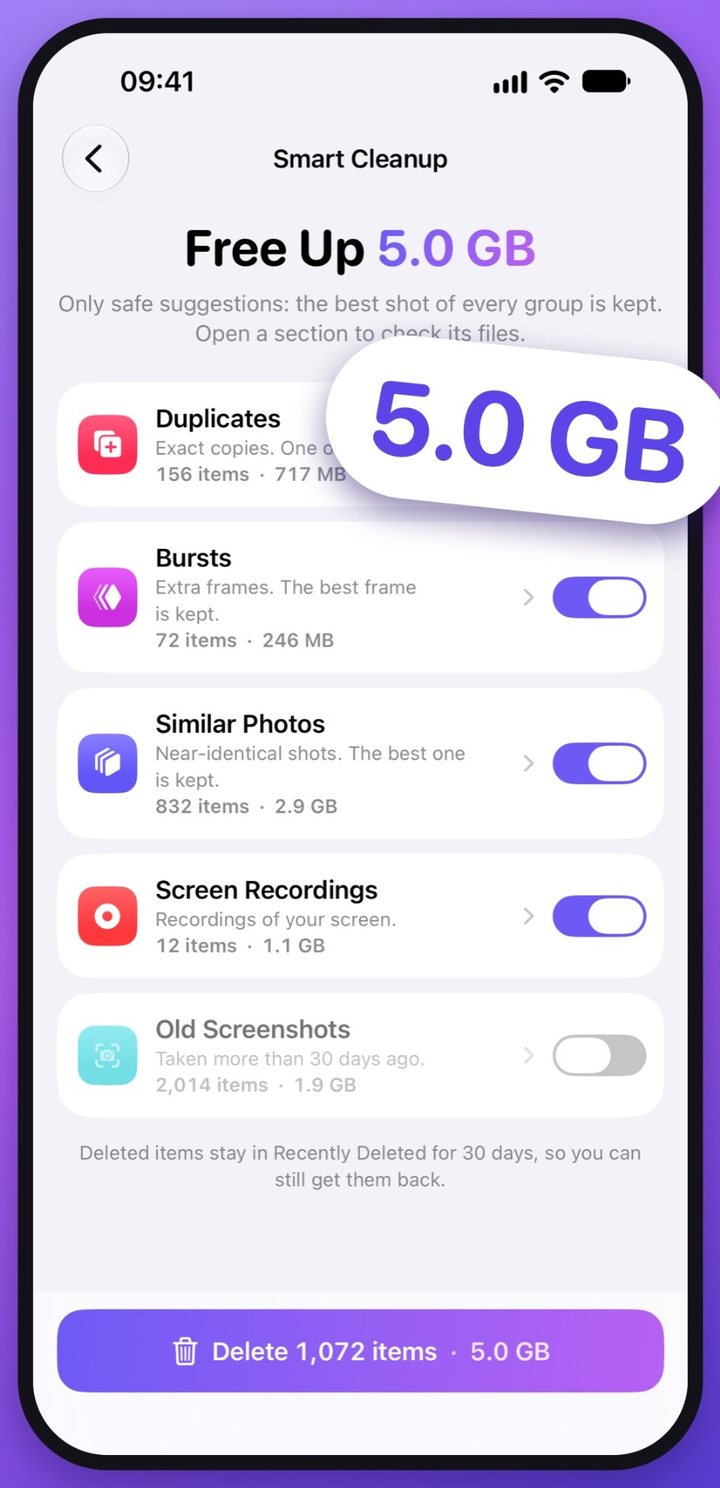
A full photo library, itemized.
Most of the clutter is invisible in the Photos app: the fourth shot of the same sunset, a forgotten screen recording, a burst you never opened.
Gigabye adds it up, so you see exactly what you’re getting back before anything is removed.
- Similar shots 832 extra copies2.9 GB
- Screen recordings 12 files1.1 GB
- Duplicates 156 exact copies717 MB
- Bursts 72 extra frames246 MB
- Safe to free5.0 GB
Videos you’d rather keep can shrink instead: 756 MB to 247 MB, same date and place.
Figures from a sample library. Gigabye shows yours after a free scan.
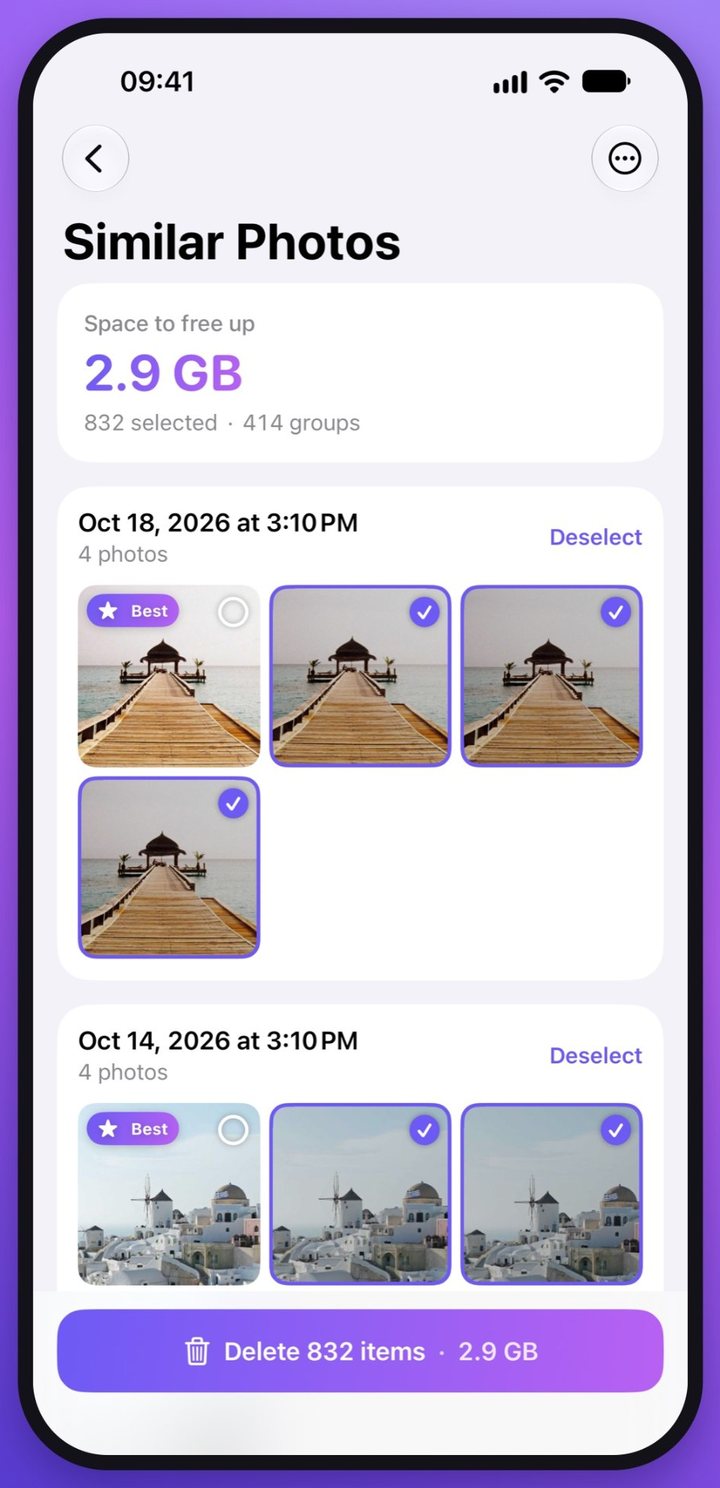
The best shot stays
Photos taken seconds apart are grouped, and the sharpest one is kept, with your favorites always winning. Different angles and photos with different text are never pre-selected for deletion.
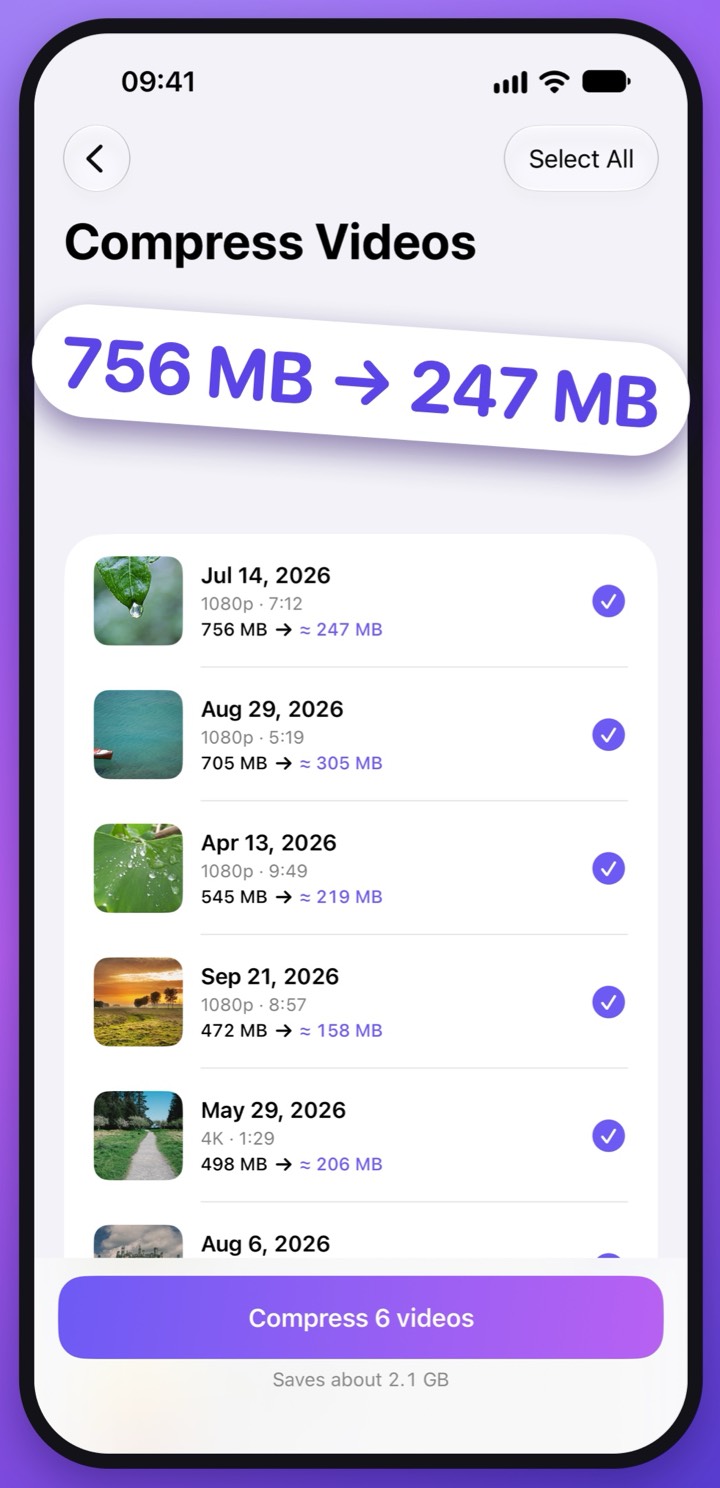
Keep the video, lose the weight
Big videos are re-encoded to HEVC at up to 1080p, sharp on a phone or TV at a fraction of the size. The copy keeps its original date and location, and the original goes only after you confirm.
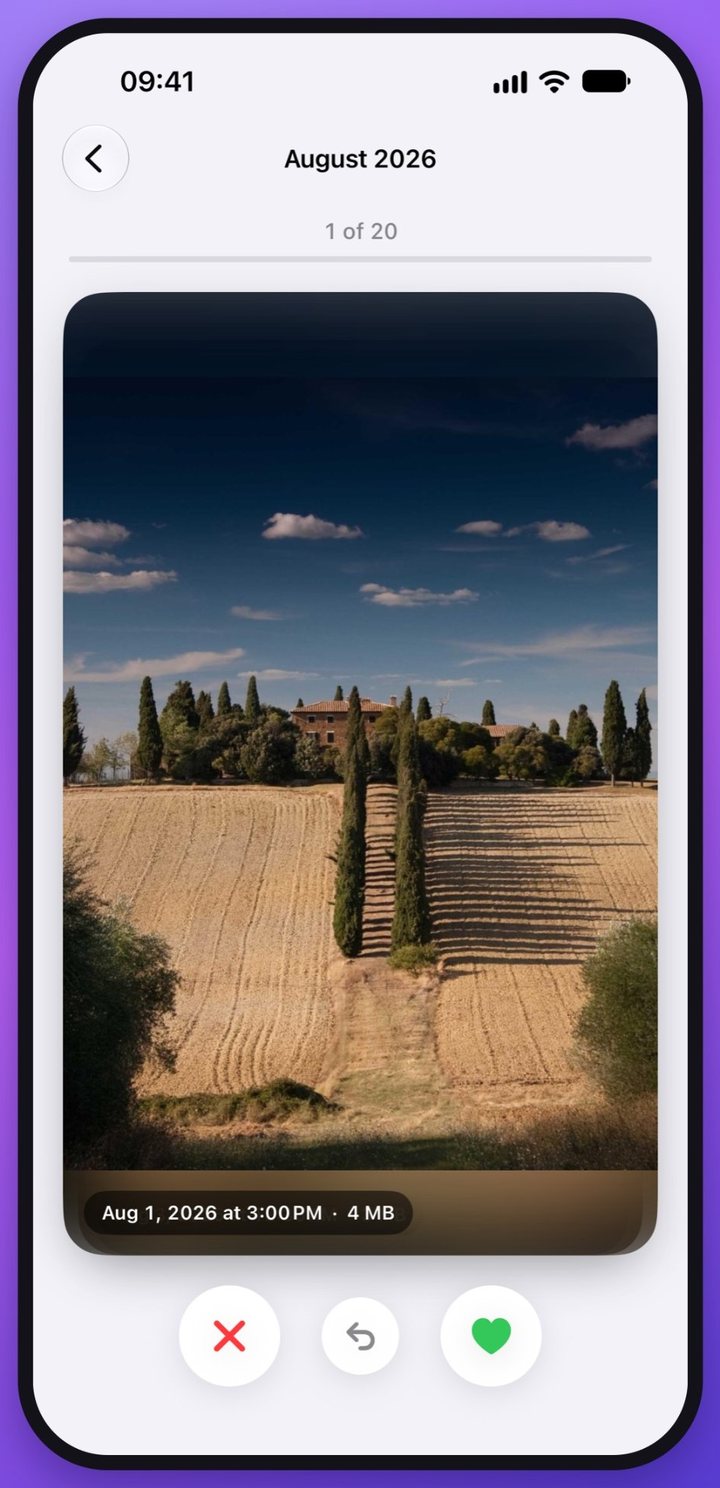
Two minutes a day, one swipe at a time
Daily Swipe shows twenty photos you haven’t reviewed yet: swipe left to remove, right to keep. Or go month by month and clear a whole year of camera roll over coffee.
Also in Gigabye
- Bursts
- Keep the best frame of every burst, clear the rest.
- Live Photos to stills
- Keep the picture, drop the motion part that doubles its size.
- Blurry photos
- Shaky, out-of-focus shots in one place for a quick review.
- Old screenshots
- Clear screenshots older than 30 days in one go.
Your photos stay on your iPhone.
- Analyzed on devicePhotos and videos are never uploaded to us or anyone else.
- No account neededNo sign-up, no email, no ads that follow you around.
- Nothing disappears by surpriseiOS asks before every deletion, and removed items wait 30 days in Recently Deleted.
The scan is free. Deleting, compressing and converting need Gigabye Pro, a weekly or yearly subscription you can cancel anytime in Settings.
Coming soon